
Passport Office Tiruchirappalli & Tamilnadu -Full Guide
Passport Office, Tiruchirappalli started functioning on 23rd March 1983. The head office is located at Thillainagar 7th Cross, Tiruchirappalli. It covers 10 passport offices of Tamil Nadu, viz Ariyalur, Karaikal, Karur, Nagapattinam, Perambalur, Pudukkottai, Thanjavur, Thiruvarur, Tiruchirappalli Rural, Tiruchirappalli Urban.
Tamil Nadu has three types of passport offices. The Ministry of External Affairs (MEA) maintains them. The office types are:
- Regional Passport Office (RPO): This is the Regional Head Office of Tiruchirappalli that handles final approvals and printing.
- Passport Seva Kendra (PSK): This centre processes documents and biometric verification. ( PSK Tiruchirappalli )
- Post Office Passport Seva Kendra (POPSK): In small town passport application process is handled by the head post office.
Contact Details Of Passport Office, Tiruchirappalli
RPO Trichy
| Official Address | New Municipal Complex, Thillainagar, 7th Cross, Tiruchirappalli, 620018. |
| Contact Number | 0431-2707203, 0431-27000699, 0431-2707011, 0431-2716836, 0431-2708225 |
| Fax Number | 0431-2707515 |
| Official E-mail | rpo.trichy@cpo.gov.in |
| Appointment Timing | 10:00 to 3:00 PM |
| Working Days | Monday to Friday |
| Regional Officer | Shree. Sharanappa Talwar |
| Support Helpline | 0431-2707404 |
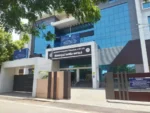
Passport Seva Kendra Tiruchirappalli
| Official address | Plot No. A5, Salai Road & Shastri Road, Junction, Thillai Nagar, Tiruchirappalli, 620018. |
| Contact Number | 04312707404 |
| Appointment Timing | 9:00 to 4:30 PM |
| Working Days | Monday to Friday |
| PIN Codes Serviced | 620017, 620019, 620018, 620020 |
Public Grievances
| Grievances Officer Name | Shree. Sharanappa Talwar |
| Contact Number | 0431-2707203, 0431-2707204 |
| Grievances E-mail | rpo.trichy@cpo.gov.in |
Enquiry Appointment Time
|
10:00 PM |
|
2:30 PM |
|
2:00 PM |
Post Office Passport Seva Kendra (POPSK)
| POPSK / Location | Official Address | Districts |
| Thanjavur | New No. 201/7D, Old No. 201/7, Medical College Road, Next to Kumaran Cinema Theatre, Thanjavur, 613007 | Thanjavur |
| Karaikal | Karaikal Post Office, NO.1, Masthan Palli Street, Karaikal – 609602. Phone: 04312707203 | Karaikal |
| Karur | Karur Post Office, No:4/29, Jawahar Bazaar, Karur, 639001 | Karur |
| Perambalur | Perambalur Post Office, Postal Staff Quarters, Attur Main Road, Perambalur, 621212. Contact No: 04312707203 | Perambalur |
| Sirkali | Sirkali Head Post Office, La, Pittari Mela Veethi, Sirkali, Nagappattinam, 609 110. | Nagapattinam |
| Thiruthuraipoondi | No.4, Thiruthuraipoondi Head Post Office, Near Anna Silai, Nagappattinam Road, Thiruthuraipoondi Post, Tiruvarur, 614713. Telephone: 04312707203 | Tiruvarur |
| Kauvery Hospital | Kauvery Hospital, Cantonment, Trichy, 620 001 | Tiruchirappalli |
| NIT Tiruchirappalli | National Institute of Technology, Tiruchirappalli, 620015 | Tiruchirappalli |
Passport Application: What Senior Citizens Should Know Before Applying
|
Passport Office Functions and Applicant Services
| Requirement | Service Area |
| New application | New Passport |
| Expiry/renewal | Renewal/Reissue |
| Loss | Replacement/Reissue |
| Theft | Replacement/Reissue |
| Damage | Replacement/Reissue |
| Urgency | Tatkaal |
| Verification | Police Verification |
| Document review | Document Verification |
| Detail changes | Passport Updates |
Indian Documents Documents Checklist
|
Passport Application Process for Minors
Applying for an Indian passport for a child or other minor applicant involves some additional requirements compared with an adult application. A parent or legal guardian generally handles the application process, while the minor’s personal details, date of birth, address, and parent-related information must be entered correctly.
|
1. Register on the Passport Seva Portal: The application is started online through the official Passport Seva system. The general procedure is:
2. Complete the Child’s Application Form: The online application contains several sections. For a fresh passport, the process includes sections such as:
3. Documents Commonly Required for a Minor: The exact document list depends on the child’s circumstances, but parents should generally prepare documents relating to: 4. Consent of Both Parents: Parental consent is an important part of many minor passport applications. In a straightforward application where both parents are available and consent is being provided, the applicable parental declaration can be completed according to Passport Seva requirements. 5. Annexure D and Other Minor Declarations: For certain applications where both parents provide consent, the prescribed declaration for minor passports may be applicable. Passport Seva also provides specific declarations for situations in which one parent’s consent is not available. 6. Passport Photograph for Young Children: Photograph requirements depend on the application and the child’s age. 7. Parent’s Signature Is Not the Child’s Signature: A common mistake is confusing the parent’s declaration or signature with the child’s passport signature. 8. Pay the Passport Fee: After completing and submitting the application, the applicable passport fee must be paid before scheduling the appointment. 9. Book the Appointment: After payment, the parent or applicant can proceed to appointment scheduling. 10. What to Carry to the PSK or POPSK: On the appointment date, parents should carry the documents applicable to the child’s application. The complete process can be summarized as: Check Eligibility → Prepare Child’s Documents → Register/Login → Select Fresh or Re-Issue → Fill Minor’s Details → Provide Parent/Guardian Information → Review Application → Submit → Pay Fee → Schedule Appointment → Visit PSK/POPSK → Document Verification → Police Verification if Required → Passport Processing → Dispatch → Delivery |
Passport Status Showing Error: Causes and Corrective Steps
Checking a passport application online is normally straightforward, but applicants may sometimes see an error message instead of their application status. The problem can be caused by incorrect information, browser or connectivity issues, temporary technical problems, or an issue with the application details entered on the Passport Seva portal.
The official Passport Seva tracking facility currently asks applicants to select the Application Type, enter the File Number, and provide the Date of Birth before checking the application status.
|
What Does a Passport Status Error Mean? There are several possible situations:
|
Frequently Asked Questions
|
Q. Can a passport show a spouse’s name after separation? A. No. If there are any documents about your spouse’s name, you can remove your spouse’s name from the passport. Q. Is a landlord’s consent required during passport verification? A. Yes, as per the rent agreement with the landlord, during passport verification you need an NOC from the landlord. Q. Can a person with a damaged passport apply for Tatkaal reissue? A. No, damage and lost paspsort you can not apply as tatkaal reissue passport. |
Office Location
Related Blogs
Passport Renewal in Coimbatore: Appointment, Fees and Documents
Passport Documents for Dehradun: Passport Documents Checklist
Passport Fees in Delhi: Passport Fee Related Guide